
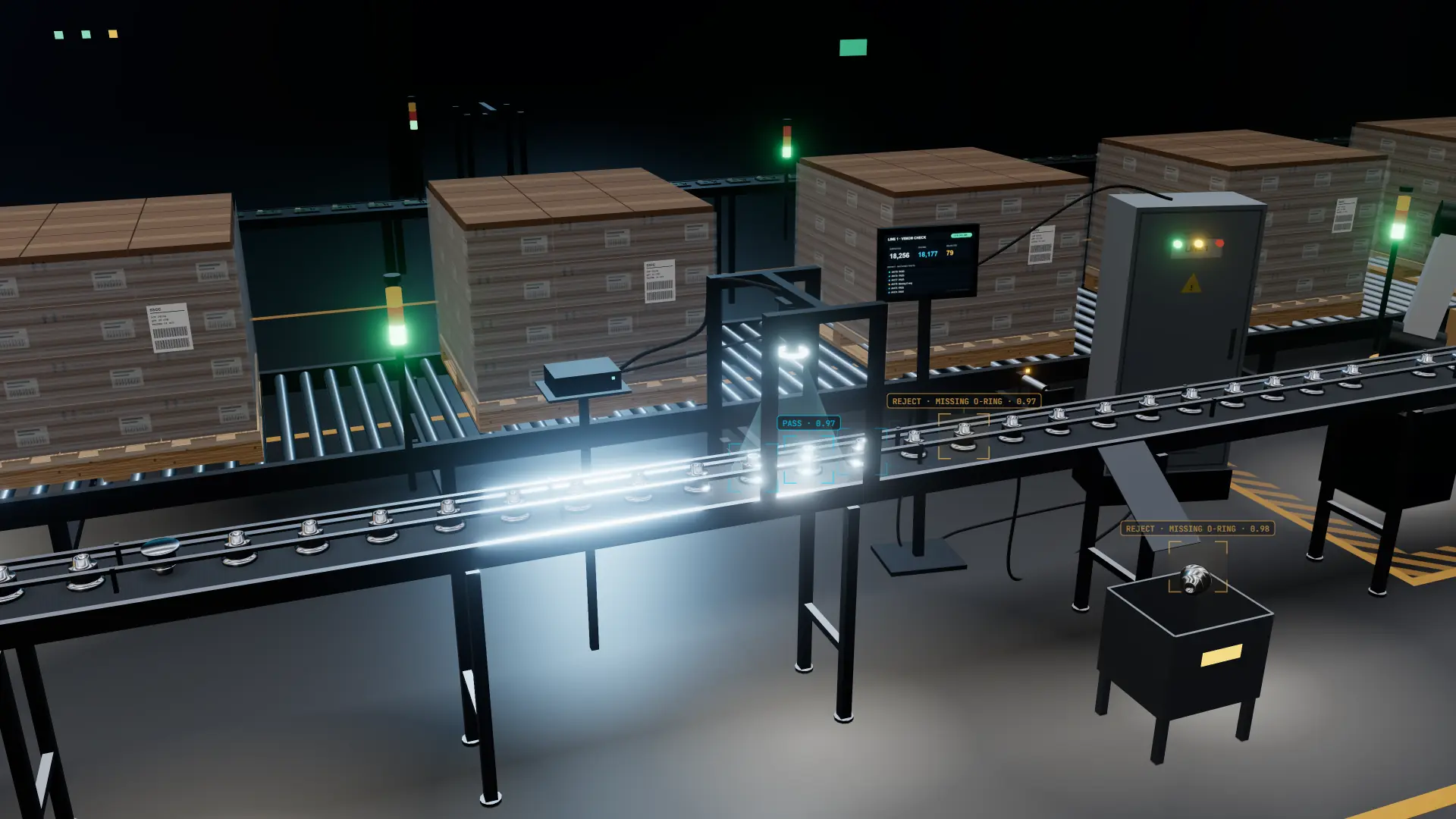
Plant integration that connects AI vision to your line
Industrial AI Vision connects with your control systems, reject equipment, operator displays and reporting, so every inspection result drives action across your plant.
Updated October 2026 · 3D simulation, illustrativePlant integration connects Industrial AI Vision to your existing New Zealand production plant, so inspection results reach the control systems, reject equipment, operator displays and data platforms your team relies on. Your plant stays in charge of what happens to each item, and one team delivers both the vision system and the integration.
- Works with your existing equipment
- Your plant decides every action
- Validated and commissioned with your team
- Edge deployment, with cloud options
- One team for the vision system and the integration
Designed around your line
Cameras go where they get a clear view, with little change to your equipment or your routine.
A clear view
Cameras placed where items are steady, clear of guarding, wash-down and access.
Matched to your process
Set up for the way product moves through your line, including items that bunch or skew.
Ready for changeovers
The right model is selected with each product changeover, so nobody has to remember.
Compact installation
Cameras, lighting and edge processing hardware sized to suit your line.
Each result reaches the equipment and people that need it
Control systems
A pass, fail or check signal to your control system, such as a PLC, handled like any other sensor.
Reject equipment
Your existing air jets, pushers, diverters and line stops, triggered through your control system. Where a new reject point is needed, it’s scoped with your engineering team.
Operator displays
Pass and fail counts and reject reasons on your existing HMI, or a dedicated display at the line.
Alarms and alerts
A stack light, horn or message to the shift lead when reject rates climb.
Reporting and data platforms
Quality reports, dashboards and every result with its image, delivered to the systems your team already uses.
If you already have a machine vision system, AI vision can run alongside it and take on the checks it struggles with. Computer vision vs machine vision.
Your plant stays in control
Industrial AI Vision reports a result for every item, with the defect type and a confidence score, and your plant’s control systems carry out the action.
Clear faults come off at the reject point, like a missing part or the wrong label.
Borderline items go to a recheck lane or hold area for a person to look at.
The line pauses for serious problems, such as a run of wrong labels after a changeover.
No line action. The result is logged and shown on the operator display for review.
Which faults lead to which action, and what the line does if the vision system ever stops sending results, are agreed with you at setup and written down at handover.
Validated and commissioned with your team
Each stage is completed and signed off before the next begins.
- 01
Application review
Your products, quality standards and plant systems, assessed to define the inspection and how it integrates.
Scope defined - 02
Model development
A product-specific vision model is trained in the Industrial AI Vision Lab (VLab) on your products and defect types.
Industrial AI VLab - 03
Validation
Performance is measured against your own production data and signed off by your quality team.
Before go-live - 04
Commissioning and support
Installed by arrangement, integrated and handed over with documentation, then supported as your products evolve.
Ongoing support
- Validation: performance measured against your production data and reviewed with your quality team.
- Handover: camera position, lighting, timing and signals, all documented.
- Model updates: every new version is validated in the Vision Lab before release.
Everyone on site sees what they need
- OPS
Operators
Pass and fail counts, recent rejects with photos, and a prompt when something needs checking.
- ENG
Maintenance and controls
Camera health, timing, signal status and built-in diagnostics.
- MGR
Managers
Output, rejects, defect causes and trends, reported by line, shift and product.
- QA
Quality
Every result saved with its photo and time, easy to search by item and shift.
Factory and quality intelligence from every inspection
Connected to your plant’s data platforms, every result becomes part of a plant-wide quality record that management can act on.
Yield and reject rates
Live and historical yield and reject rates by line, shift, product and batch, measured on every item rather than a sample.
Defect trends and causes
Defect types ranked by frequency and tracked over time, alongside changeovers, material batches and production events, so root causes surface sooner.
Plant-wide visibility
Results from every line in one view, comparable across shifts, products and sites, for supervisors, quality teams and management alike.
Results are delivered to the dashboards, historians, quality systems and business platforms your team already uses, with the connection method confirmed for each site.
Runs at the edge, with cloud where it adds value
Industrial AI Vision runs within your facility as standard. Cloud and hybrid options add remote dashboards and multi-site reporting where they’re needed.
Runs within your facility
- Inspection decisions made on site
- No dependence on external connectivity
- Production images stay on your premises
- No per-image cloud fees
Connected where it adds value
- Remote access to dashboards and reports
- Quality reporting across multiple sites
- Remote monitoring and support
- Combined with edge inspection in a hybrid setup
Offline edge operation
Inspection and plant signals run within your facility, with no dependence on external connectivity.
Built-in diagnostics
Set-up checks your team can run on the camera, lighting, timing and signals.
Data stays on site
With edge deployment, images and results stay in your plant, and remote support happens only with your permission.
One team for the AI and the integration
You deal with one team for the cameras, the vision system and its integration into your plant.
- Cameras and lighting specified for the application
- Product-specific models from the Vision Lab
- Validated on your production data
- Version-controlled model updates
- Mounting and timing on the line
- Signals to your control systems
- Reject, divert, stop and flag rules
- Operator displays, reporting and handover documentation
- A contact who knows the line
- Access at agreed times
- Samples of good product and real faults
- Agreed reject standards
Your line keeps running the way it does today
- How your line is controlled
- Your reject and divert equipment
- Operator routines and screens
- Your quality sign-off and standards
- Every item checked
- A photo and reason for every reject
- Reporting by line, shift and product
- Early warning when quality starts to drift
The same approach on every line
Every inspection system is connected this way, whatever it checks: a poorly sealed pack diverted on a food and beverage line, a damaged case stopped at end-of-line inspection, a short pallet held at pallet inspection, or an incomplete part reworked in general manufacturing.
Start with one line and grow from there
A practical way into Industry 4.0 is one line and a few checks, feeding the systems you already have, then extending line by line. Adding AI to existing cameras.
Where the return comes from
The return comes from catching the faults that sampling misses, and from having a record for every item. See the real cost of manual inspection and how to build a vision inspection business case.
Frequently asked questions
Do you supply the reject equipment?
Do we need to change how our line is controlled?
What happens when the AI isn’t sure about an item?
Does it need an internet connection?
What does our maintenance or controls team need to do?
Who looks after it once it’s running?
Can it support our audits and validation?
Read more about inspection and integration
See how Industrial AI Vision fits your plant
Tell us about your control systems, reject points and reporting, and we’ll map where the vision system connects.